
How to configure export to estate portals?

Learn how to configure exports to predefined portals in ASARI CRM and individual exports to your estate portals and websites.
Configure exports to predefined estate portals
In ASARI CRM, you can configure exports of offers to predefined estate portals, i.e. portals with which ASARI has a cooperation agreement and has passed verification. You can find a list of these platforms in ASARI CRM after expanding the Add export to portal list in the section responsible for defining exports, or at this link.
Prefer to watch instead of read? Use our video guide to learn how to configure export to estate portals.
To place your ads on the selected portal, you must have an individual agreement with it to provide such services. Then such a portal will provide you with login information to the server where the Export from ASARI CRM will take place. Remember that only a person with visibility rights to the Administration panel can add exports, configure them, and edit existing ones. You can learn more about defining permissions in this manual.
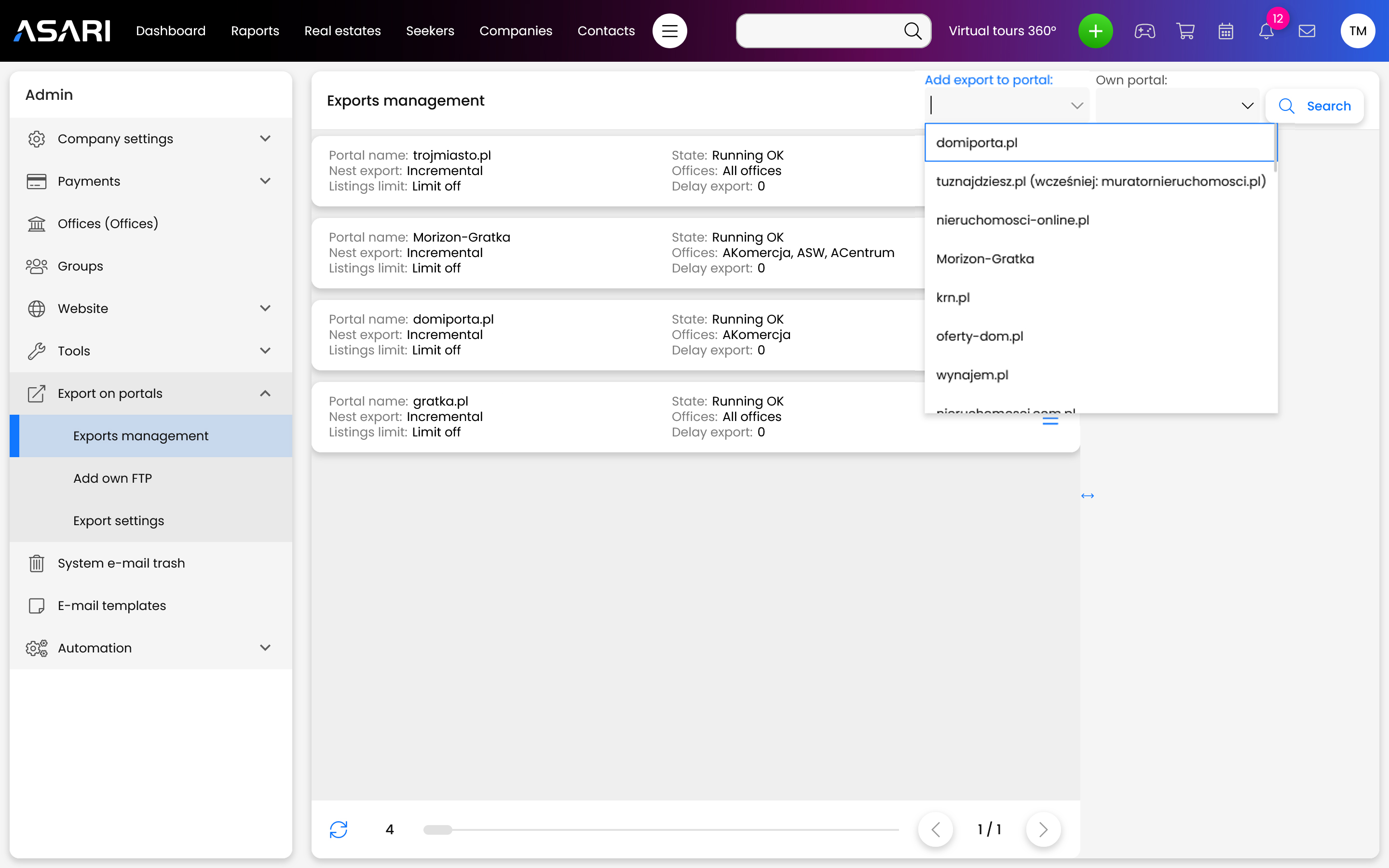
To configure the export of offers to predefined estate portals, go to Settings, then select the Export to Estate portals tab. Once the list has expanded, simply go, to Manage Exports, so you can create a new Export or edit an existing one. From the Add Export to Portals drop-down list, select the classified service you are interested in.
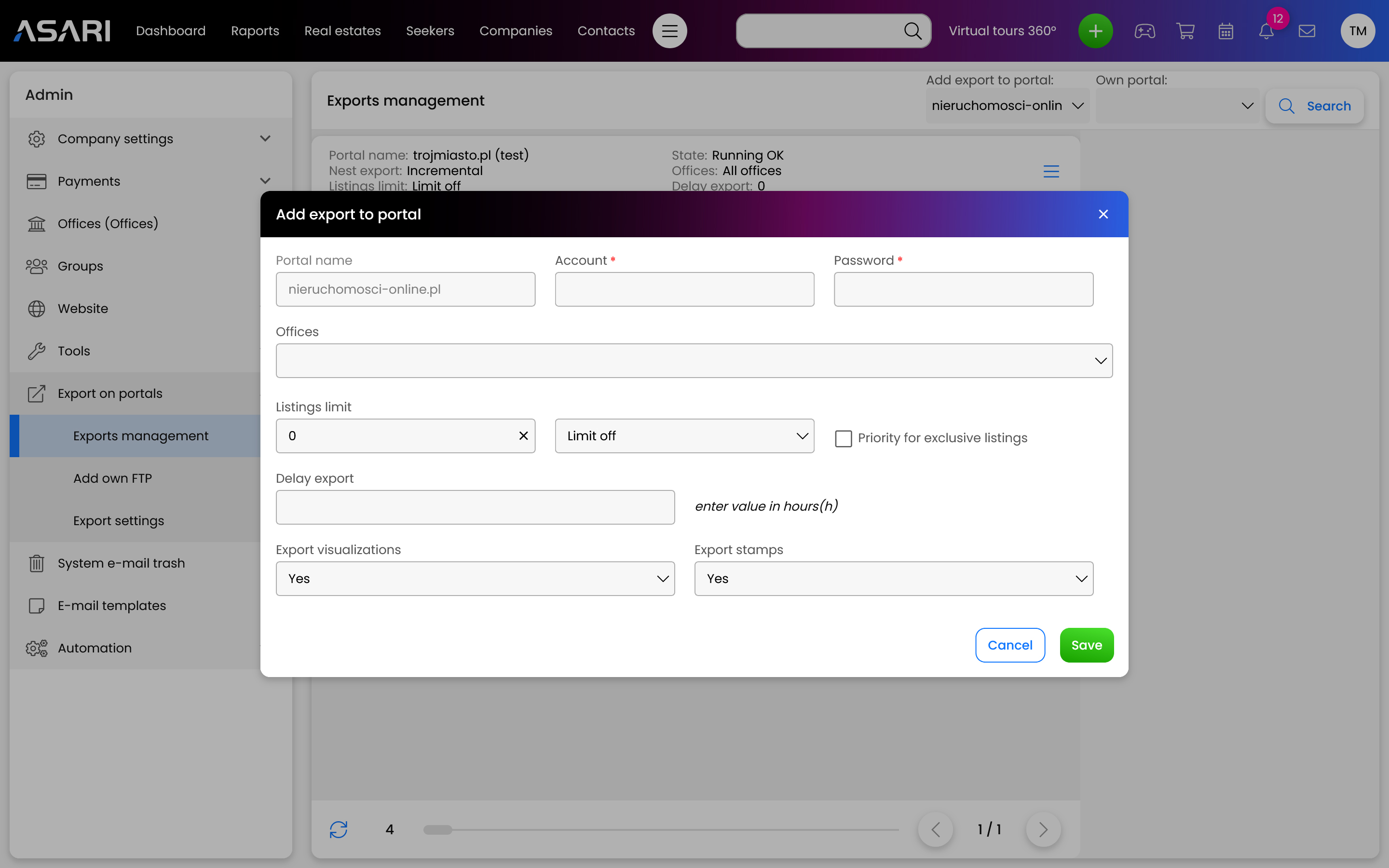
Next, the Export Settings window will open, in which:
You will enter your portal account name and password;
You will select a specific branch of the real estate agency;
You will specify the limit of offers to be sent to the portal;
You will set the export delay in hours;
You will indicate whether visualization and stamps are to be sent along with the ad;
Individual export configuration
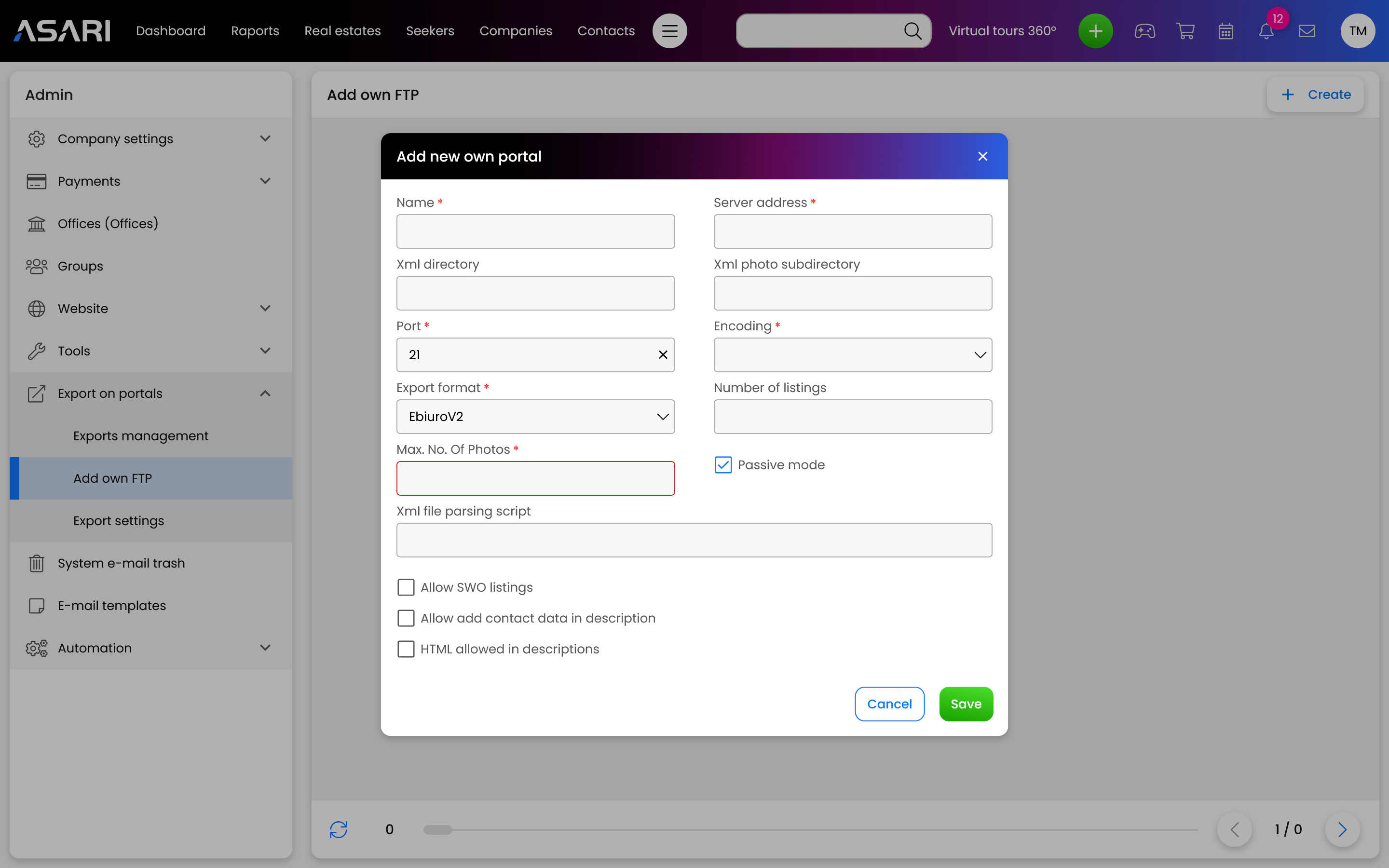
You make an individual export configuration when a particular portal is not predefined or you want to send an offer to your website. To do this, go to Settings and then select the Export to portals tab. After the list expands, just go, to Add your own FTP. Then you can Add your portal or edit an existing one.
Instructions for exporting to portals in ASARI CRM
Export to portals in ASARI CRM has many setup options and configuration variants for the portals themselves, as well as office websites. To get an in-depth look at this, use our detailed instructions.